

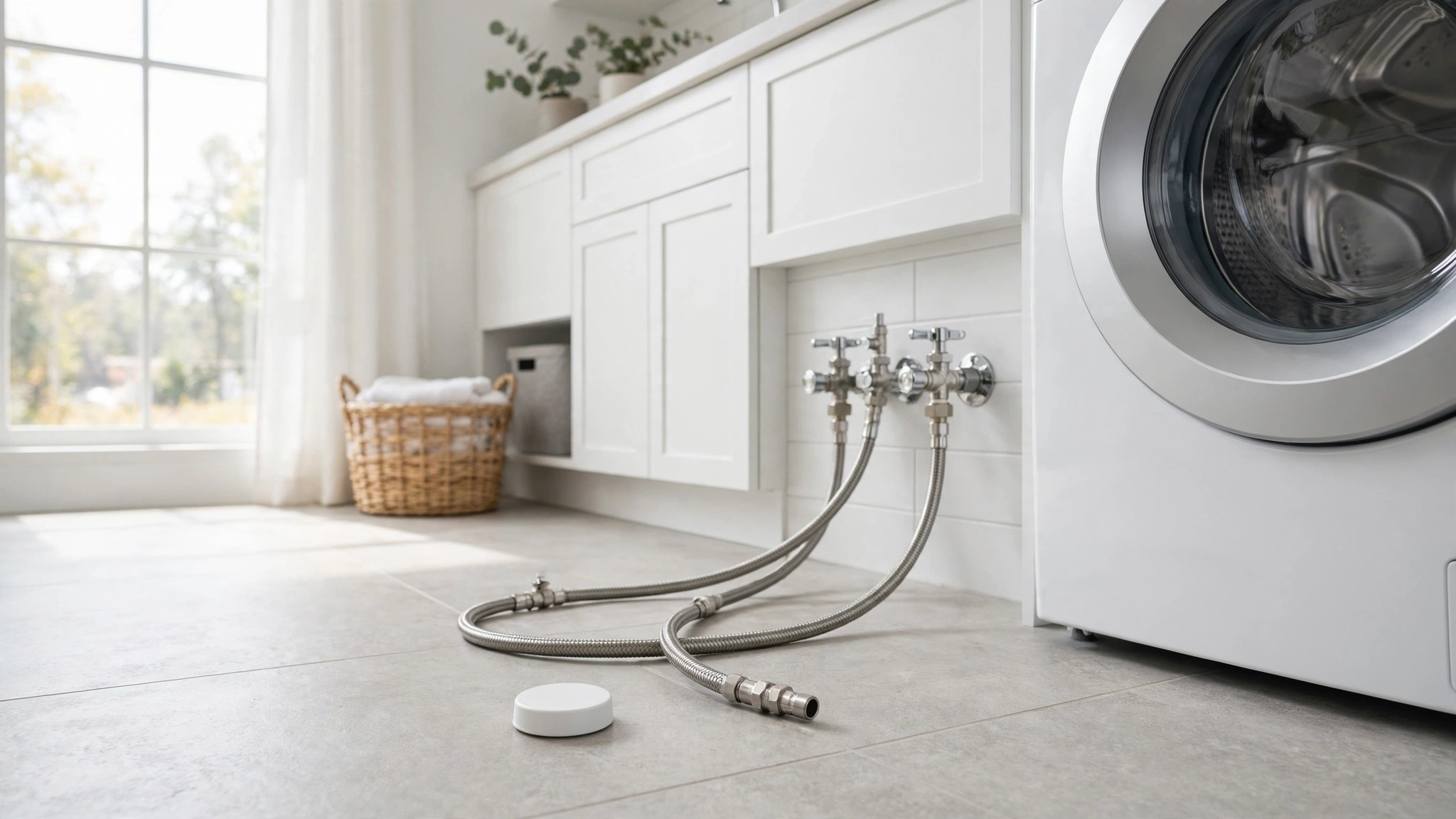
A water heater doesn’t warn you before it fails. It just rusts quietly for years, then lets go at 2 a.m. while you’re asleep — or worse, while you’re on vacation. Industry estimates put the average home water leak at around $7,000 in damage, and water damage ranks among the top home insurance claims year after year.
A smart water leak detector won’t fix your pipes. It buys you time: a phone alert the moment water touches the sensor, often hours before you’d notice a puddle yourself. For a modest price, that’s some of the cheapest peace of mind a smart home device can offer.
Below are seven real, well-known leak detectors worth considering in 2026 — what each one does, who it’s best for, and the honest downsides. Prices shown are typical ranges, not fixed prices; street prices move around constantly.
Table of Contents
- What to Look for in a Smart Water Leak Detector
- The 7 Best Smart Water Leak Detectors for 2026
- Govee Wi-Fi Water Sensor — Best Budget
- YoLink Water Leak Sensor — Best Long Range
- Honeywell Home Water Leak and Freeze Detector — Best Freeze Monitoring
- Ring Alarm Flood and Freeze Sensor — Best for Ring Households
- Eve Water Guard — Best for Apple HomeKit
- Phyn Smart Water Sensor — Best No-Hub All-Rounder
- Zircon Leak Alert WiFi — Best Simple Email Alerts
- Quick Comparison Table
- Our Verdict: Which One Should You Buy?
- Where to Place Your Sensors
- Common Mistakes to Avoid
- Frequently Asked Questions
- The Bottom Line
What to Look for in a Smart Water Leak Detector
Every leak detector does the same basic job — two metal contacts on the bottom touch water, and the device sounds an alert. What separates them is everything around that core job.
Connectivity type. Most budget sensors use your home Wi-Fi (2.4 GHz only, almost always). A few use long-range protocols like LoRa that reach far beyond your router — handy for detached garages, basements, or sprawling homes. Z-Wave and Thread models tie into platforms like Ring or Apple HomeKit.
Hub requirements. Wi-Fi sensors connect straight to your router — no hub. LoRa, Z-Wave, and Thread sensors need a hub or base station: an extra cost and one more box, but long-range models can cover a whole house from a single hub.
Alert methods. How will you hear about a leak at 3 a.m. or from 500 miles away? Push notifications, text messages (SMS), emails, loud onboard sirens, and voice-assistant announcements are all on the table. Redundancy is better — a siren helps if you’re home; a phone alert helps if you’re not.
Battery life. Most run one to five years on batteries. Look for low-battery alerts so a dead sensor doesn’t fail silently.
Expandability. A single sensor covers one puddle-sized zone. Cable sensors extend coverage along a line — useful around a water heater or sump pit. For bigger homes, check multi-pack discounts and whether sensors pair with an automatic water shutoff valve.
If you’re thinking about leak detection as part of a broader smart-home plan — especially one aimed at cutting your home’s energy costs — it’s worth choosing devices that already speak your ecosystem’s language.
The 7 Best Smart Water Leak Detectors for 2026
1. Govee Wi-Fi Water Sensor — Best Budget
The Govee Wi-Fi Water Sensor connects directly to your 2.4 GHz Wi-Fi network with no hub — drop in batteries, connect to the app, place it on the floor. When water touches the probes, you get app alerts plus an adjustable onboard siren (around 100 dB). It also works with Alexa and Google Assistant for voice announcements through smart speakers.
Ideal for: Renters and first-time buyers who want to cover a few key spots — under sinks, behind the washer, near the water heater — without buying into a hub ecosystem.
Limitations: 2.4 GHz Wi-Fi only, and alerts depend on your internet being up. Each sensor works independently, so there’s no built-in whole-home automation.
Typical price: around $20–$30 per sensor (estimate; multi-packs are better value).
2. YoLink Water Leak Sensor — Best Long Range
YoLink sensors talk over LoRa, a long-range protocol that reaches roughly a quarter mile in open air — far beyond Wi-Fi. That makes it a strong pick for large homes, basements, crawlspaces, attics, or detached outbuildings where Wi-Fi dies. Newer sensors include a 105 dB onboard siren, and battery life is rated at up to five years — one of the longest here. Freeze warnings come through the YoLink app.
Ideal for: Big or multi-structure properties, or anyone monitoring beyond their router’s reach.
Limitations: You need a YoLink hub — the sensors don’t work without one, which adds cost and one more device. It’s a real commitment for a beginner.
Typical price: around $25 per sensor (estimate); a starter kit with hub is typically around $70.
3. Honeywell Home Water Leak and Freeze Detector — Best Freeze Monitoring
Honeywell Home (made by Resideo) takes a whole-zone approach. The detector runs on home Wi-Fi with no hub, and ships with a 4-foot water-sensing cable you can extend with extra runs — handy around a water heater base or along a wall.
What sets it apart is environmental sensing: it also monitors temperature and humidity, so it warns you when pipes are at risk of freezing, not just when water is already on the floor. Alerts come through the Honeywell Home app, backed by a 100 dB onboard siren. It runs on three AA batteries (rated up to three years), and it’s reusable — wipe it dry and put it back.
Ideal for: Vacation homes, unheated basements and crawlspaces, or cold-climate homes where a frozen pipe is the real threat. Pair this with your fall home maintenance routine and you’re covered for winter.
Limitations: It’s a bigger, pricier unit than a simple puck sensor — a single device covers one zone plus its cable run, so whole-home coverage means buying several. Some users find the app setup fussier than budget alternatives.
Typical price: typically around $100–$150 (estimate).
4. Ring Alarm Flood and Freeze Sensor — Best for Ring Households
Already have a Ring Alarm system? This sensor connects via Z-Wave to the Ring Base Station and slots into the Ring app alongside your door sensors and cameras. It watches for freezing temperatures as well as standing water.
Ideal for: Existing Ring Alarm owners who want leak alerts in the app they already use — especially useful with a monitoring plan.
Limitations: It only makes sense inside the Ring ecosystem. Without a Ring Alarm Base Station it’s useless, and Z-Wave range can struggle in larger homes.
Typical price: typically around $35 (estimate).
5. Eve Water Guard — Best for Apple HomeKit
The Eve Water Guard is the smart-home pick for Apple households. It uses Thread and integrates directly with HomeKit, so alerts land on your iPhone, Apple Watch, and HomePods — and it can trigger automations (leak detected → flash the hallway lights → close a smart water valve).
Instead of a puck, it uses a long sensing cable (about 6.5 feet) that detects water along its entire length — great around a water heater, sump pit, or behind a row of appliances.
Ideal for: Apple HomeKit users who want leak detection woven into existing automations.
Limitations: Apple-only — no Android app, no Alexa/Google integration. You’ll also need a HomeKit hub (Apple TV or HomePod) for remote alerts.
Typical price: typically around $80–$110 (estimate).
6. Phyn Smart Water Sensor — Best No-Hub All-Rounder
Phyn’s sensor covers the bases: Wi-Fi with no hub, SMS and app alerts, an audible alarm, and a flashing LED on the device. It also monitors temperature and humidity with customizable thresholds — handy for knowing when a basement is getting dangerously damp or cold. Battery life is rated up to two years, and the sensors can trigger an automatic shutoff valve if you add Phyn’s whole-home system later.
Ideal for: Homeowners who want one sensor type that does everything — no hub, no ecosystem lock-in, flexible alerts.
Limitations: Two-year battery life is shorter than the five-year claims of some LoRa sensors. It’s app-centric, so keep your phone’s notifications on — and remember that Wi-Fi-only alerts need a working internet connection.
Typical price: typically around $40 (estimate).
7. Zircon Leak Alert WiFi — Best Simple Email Alerts
Zircon is best known for stud finders, but its Leak Alert WiFi is refreshingly simple. It connects to your Wi-Fi with no hub, and when water hits its contacts it sounds a 105 dB alarm, flashes an SOS-style visual signal — and sends email alerts to up to five email addresses.
That email-first approach is genuinely useful: notify yourself, your partner, and a neighbor or property manager, so somebody can act even when you’re unreachable. The unit even floats, so it keeps signaling during a real flood.
Ideal for: Vacation-home owners and landlords who want alerts sent to multiple people, plus anyone who prefers email over yet another app.
Limitations: Email alerts are slower than push notifications, and the smart-home integration is minimal — don’t expect Alexa routines or HomeKit triggers here. The manufacturer recommends checking and replacing batteries yearly, which is more maintenance than longer-life sensors.
Typical price: typically around $50–$70 (estimate).
Quick Comparison Table
| Detector | Connectivity | Hub Needed | Key Alerts | Onboard Siren | Typical Price* |
|---|---|---|---|---|---|
| Govee Wi-Fi Water Sensor | 2.4 GHz Wi-Fi | No | App, Alexa/Google | ~100 dB | ~$20–$30 |
| YoLink Water Leak Sensor | LoRa | Yes (YoLink hub) | App | 105 dB | ~$25 / ~$70 kit |
| Honeywell Home Leak & Freeze | Wi-Fi | No | App, audible | 100 dB | ~$100–$150 |
| Ring Alarm Flood & Freeze | Z-Wave | Yes (Ring Base Station) | Ring app | No onboard | ~$35 |
| Eve Water Guard | Thread (HomeKit) | HomeKit hub for remote | HomeKit app | No onboard | ~$80–$110 |
| Phyn Smart Water Sensor | Wi-Fi | No | App, SMS, audible | Yes | ~$40 |
| Zircon Leak Alert WiFi | Wi-Fi | No | Email (up to 5), audible | 105 dB | ~$50–$70 |
*Prices are typical ranges (estimates), not fixed — they shift with sales and retailers.
Our Verdict: Which One Should You Buy?
Best overall: Phyn Smart Water Sensor. No hub, no ecosystem required, and three alert channels — SMS, app, and a loud onboard alarm. SMS matters: it doesn’t depend on a particular app being open. The temperature and humidity thresholds add real extra value, and shutoff-valve pairing leaves room to grow.
Best budget: Govee Wi-Fi Water Sensor. If you just need protection behind the washer and under two sinks, a small pack covers your highest-risk spots for the price of a pizza. The 2.4 GHz-only limitation is annoying but not a dealbreaker for most homes.
Best for smart-home ecosystems: two-way tie. Ring Alarm owners should grab the Ring Flood and Freeze Sensor — the only pick that slots into your existing setup. Apple HomeKit users should look at the Eve Water Guard, whose Thread connection and long sensing cable fit neatly into HomeKit automations.
Also worth a look: if a frozen pipe in a vacation home or unheated crawlspace is your biggest worry, the Honeywell Home detector earns its premium with freeze monitoring. And if your property stretches beyond Wi-Fi range, YoLink’s LoRa system is in a league of its own.

Where to Place Your Sensors
Sensor placement matters more than sensor specs. Water follows gravity and plumbing, so put sensors where both lead it:
- Under kitchen and bathroom sinks. Supply lines and drain traps drip straight onto the cabinet floor. While you’re clearing space for the sensor, take stock of the cabinet — if it needs a refresh, see our guide on painting kitchen cabinets without sanding.
- Behind the washing machine. Supply hoses are the number-one failure point in the laundry room. One sensor on the floor behind the machine catches a burst hose in seconds.
- At the base of the water heater. Tank heaters fail from the bottom. Slide a sensor (or sensing cable) right against the tank’s base.
- Near the sump pit or floor drain. If the sump pump dies during a storm, a sensor buys you time before the basement fills.
- Behind toilets. Supply-line connections and wax-ring seals leak silently into subfloor — one more reason to know how to fix a running toilet.
- Under the fridge / ice-maker line. That tiny plastic water line cracks more often than you’d think.
- Basement or crawlspace low points. One sensor on the lowest part of the floor catches the leaks you can’t see.
A few placement rules of thumb: set the sensor directly on the floor (never on a shelf), keep the metal contacts facing down, don’t tuck it under clutter where sound is blocked, and label each sensor in the app by location (“kitchen sink,” “water heater”) so the alert tells you exactly where to run.

Common Mistakes to Avoid
Buying one sensor and calling it done. One sensor protects one spot. A typical home has five or six high-risk zones — budget for a multi-pack or add sensors over time.
Placing the sensor where water won’t reach. On a shelf, on top of a cabinet, or behind stored boxes, it won’t get wet until the flood is already enormous. It has to sit on the floor, in the lowest spot, contacts touching the ground.
Relying on Wi-Fi-only alerts during outages. Most budget sensors need your router and internet to send alerts — and storms are exactly when you need them most. A sensor with a loud onboard siren is your backup.
Ignoring battery maintenance. Note the install date on your calendar, enable low-battery alerts, and replace batteries on schedule — especially with shorter-life models.
Burying the sensor in clutter. Under-sink cabinets become junk drawers fast. Keep the area clear so water reaches the sensor and the siren can be heard. Inspecting under-sink drains is a good declutter excuse — our guide to unclogging a bathroom sink without chemicals pairs well with the job.
Skipping the naming step. “Sensor 3 detected water” is a useless alert at 2 a.m. Name every sensor by its location during setup.
Frequently Asked Questions
How many water leak detectors do I need?
Most homes benefit from four to six sensors: under the kitchen sink, behind the washing machine, at the water heater, near the sump pit or main floor drain, behind at least one toilet, and under the refrigerator’s ice-maker line. Start with your three riskiest spots and expand from there.
Do smart leak detectors work without Wi-Fi?
Wi-Fi sensors need a working connection to send phone alerts, though many still sound their onboard siren locally. Long-range systems like YoLink keep working locally through their own hub even when the internet is down. No sensor can send you a phone alert from a home with no connectivity at all.
Can a leak detector shut off my water automatically?
A standalone puck sensor cannot — it only alerts you. But some ecosystems support it: Phyn sensors can trigger a Phyn whole-home shutoff, Eve Water Guard can automate a compatible smart valve through HomeKit, and other brands integrate with third-party shutoff valves. If you travel often, an alert-plus-shutoff combo is worth considering.
How long do batteries last in smart leak detectors?
Typically one to five years. Wi-Fi sensors tend to land around one to two years; long-range sensors advertise up to five. Always enable low-battery alerts and note the install date so a dead sensor doesn’t fail silently.
Will a leak detector survive sitting in water?
Most are designed for it — sensors like the Zircon Leak Alert WiFi even float so they keep alarming during a flood. After an incident, wipe the sensor dry, check the battery contacts for corrosion, and put it back into service. Replace it if the siren or sensors stop responding to a test.
The Bottom Line
A smart water leak detector is one of those rare smart-home purchases that’s genuinely practical rather than just fun. Pick one that fits your home’s size and your tech comfort level, place it where water actually goes, and let it do the worrying for you.
For most households, the no-hub Phyn Smart Water Sensor or a budget pack of Govee Wi-Fi sensors will cover the highest-risk spots for very little money. Add leak sensors to your fall home maintenance checklist and winter arrives with one fewer thing to worry about.

Welcome to Homeblesh! I'm a professional content writer with over five years of experience creating well-researched, practical, and reader-focused content for clients on Upwork and Fiverr. Now, I've dedicated my expertise to building Homeblesh, where I share helpful guides, honest recommendations, and actionable tips based on careful research and industry knowledge. My goal is to provide accurate, trustworthy information to help you make informed decisions while delivering clear, useful, and easy-to-understand content.
- Muhammad Imran

- Muhammad Imran

- Muhammad Imran

- Muhammad Imran


