

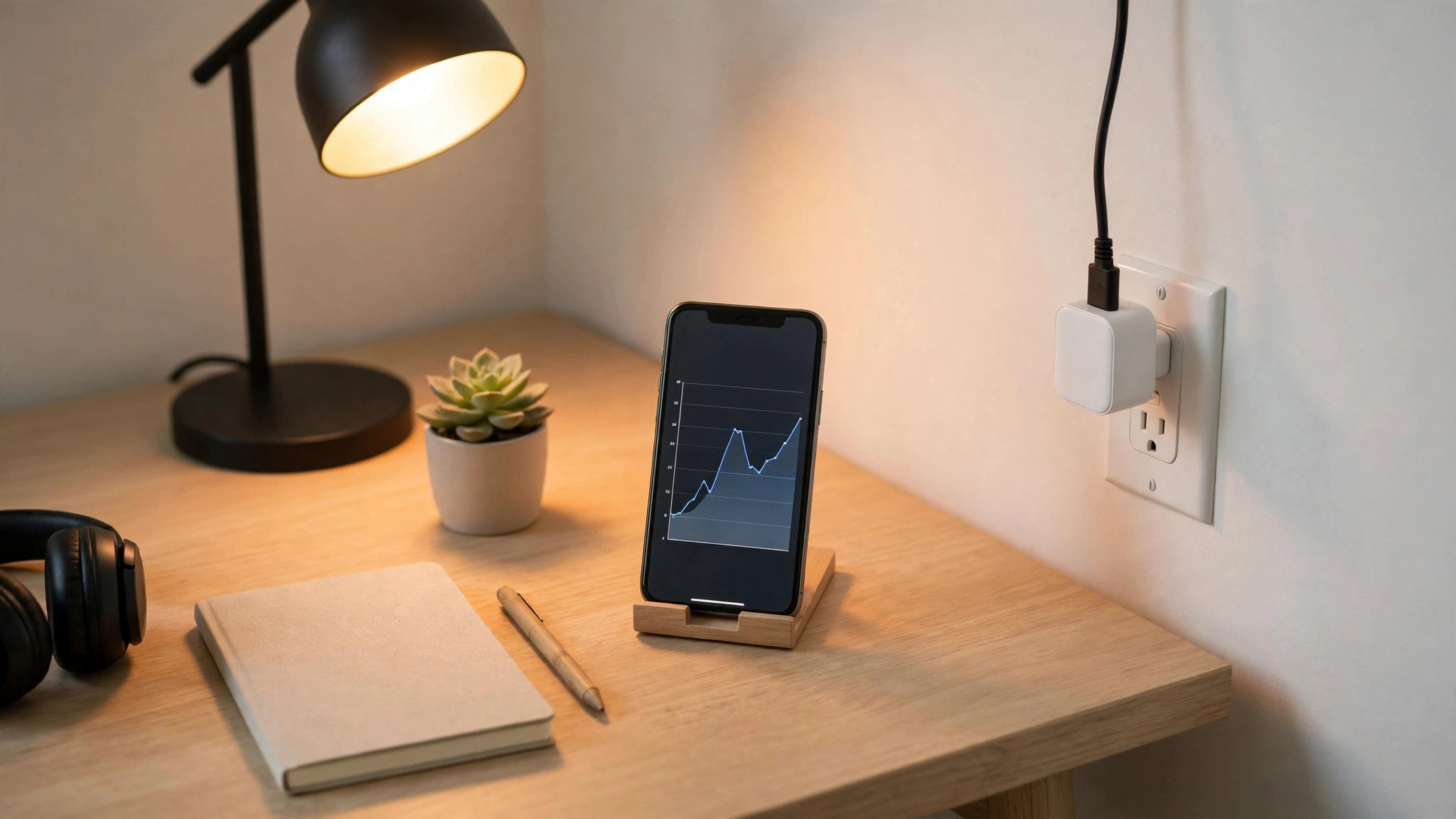
Here’s a number worth knowing: the average US home has dozens of devices sipping power around the clock, and the Department of Energy has long estimated that standby power can account for a meaningful slice of a household’s electricity use. You can’t fix what you can’t see — which is exactly why an energy-monitoring smart plug is one of the smartest $15 you’ll ever spend.
Unlike basic smart plugs, these report real-time wattage and track kilowatt-hours over days, weeks, and months. Plug one into your TV setup, your space heater, or your home office, and within a week you’ll know exactly what each costs to run. Below are the 7 best options for 2026, picked for accuracy, app quality, and ecosystem compatibility.
Table of Contents
- Why Energy Monitoring Matters
- What to Look For
- The 7 Best Energy-Monitoring Smart Plugs
- Comparison Table
- How to Actually Cut Usage With the Data
- Common Mistakes
- FAQs
- Final Thoughts
Why Energy Monitoring Matters
A regular smart plug gives you remote on/off and schedules. Useful — but blind. An energy-monitoring plug adds the missing piece: measurement.
The pattern plays out the same way in almost every home. Someone plugs a monitor into their entertainment center and discovers the TV, soundbar, game console, and cable box pull 30–60 watts combined while “off.” Someone else checks the garage freezer or the old dehumidifier and finds it costs more per month than the plug did to buy. Energy Star notes that certified electronics use less standby power, but the only way to know your devices is to measure them.
Once you can see usage, the fixes are usually free: schedules that kill standby power overnight, moving the space heater off “high,” or finally retiring the ancient mini-fridge. For a deeper playbook, see our guide to reducing your electricity bill at home — measurement plus habit changes is the whole game.
What to Look For
Real-time wattage + historical tracking. Every plug here shows live power draw. The better ones keep daily, weekly, and monthly history in the app and let you export it. Avoid anything that only shows a single cumulative number.
Accuracy expectations. Consumer plugs are typically accurate within a few percent — plenty for identifying hogs, not lab-grade. Don’t use one to settle a billing dispute with your utility.
Max load rating. Most are rated for 15A / 1800W (US). That’s fine for lamps, TVs, and computers. Space heaters, window ACs, and power tools can push past safe limits — check the plug’s rating and the appliance’s draw, and when in doubt use a dedicated heavy-duty rated plug or skip it.
Ecosystem fit. Alexa, Google Home, Apple HomeKit, SmartThings, Matter — buy for the system you actually use. Matter-certified plugs are the safest bet for future-proofing.
2.4 GHz Wi-Fi. Nearly all Wi-Fi plugs require a 2.4 GHz network for setup. If your router merges bands, you may need to temporarily split them during pairing — a five-minute annoyance, once.
No subscription. Energy data should be free. None of our picks charge a subscription for basic monitoring.
The 7 Best Energy-Monitoring Smart Plugs
TP-Link Kasa EP25 — Best Overall
The EP25 is the default recommendation for a reason: reliable Wi-Fi, accurate energy reporting with daily/weekly/monthly history in the Kasa app, and rock-solid Alexa and Google Home integration. The compact “mini” form factor doesn’t block the second outlet, which sounds minor until you’ve fought a bulky plug in a duplex receptacle.
Typical price: $10–$15 each, often less in 4-packs. No hub required.
Best for: Most people. If you just want one plug that works, start here.
Emporia Smart Plug — Best Budget
Emporia built its name on whole-home energy monitors, and that DNA shows in its smart plug: detailed energy charts, integration with the Emporia Vue system if you ever go whole-home, and pricing that typically undercuts the big brands at $10–$15.
Best for: Budget shoppers who still want genuinely good energy analytics.
Eve Energy — Best for Apple Households
Eve Energy speaks Matter over Thread, which means fast, local, reliable control with Apple Home — and it works with Alexa, Google, and SmartThings too. The Eve app’s energy graphs are among the clearest in the business, with cost projections if you enter your electricity rate.
Typical price: $35–$40. Pricier, but you’re paying for Thread reliability and best-in-class Apple integration.
Best for: iPhone households, HomeKit users, anyone tired of Wi-Fi plugs dropping offline.
TP-Link Tapo P125M — Best Matter Pick
TP-Link’s Tapo line is the company’s Matter-forward brand, and the P125M is a compact Matter-certified plug with energy monitoring. If you’re building a setup you don’t want to rebuild in two years, Matter certification is the closest thing to a guarantee of cross-platform compatibility.
Typical price: $15–$20. No hub required.
Best for: Future-proofers who want Matter today without paying Eve prices.
Shelly Plus Plug S — Best for Tinkerers
Shelly is the enthusiast’s choice: accurate power metering, local control without cloud dependency, an open API, and compatibility with Home Assistant and other DIY platforms. The hardware is solid and typically runs $20–$25.
Fair warning: the app is functional rather than beautiful, and the real magic requires some technical comfort. But if you run Home Assistant, nothing else on this list integrates as deeply.
Best for: Home Assistant users and anyone who wants local-only control.
Aqara Smart Plug — Best for Zigbee Homes
If you’ve already got an Aqara or other Zigbee hub, Aqara’s smart plug adds energy monitoring to that mesh network — which means excellent reliability and no Wi-Fi congestion. Typical price: $25–$30, hub required (sold separately if you don’t have one).
Best for: Existing Aqara/SmartThings Zigbee setups. Don’t buy into Zigbee just for this one plug, though — go Wi-Fi or Matter instead.
SwitchBot Plug Mini — Best Compact Pick
SwitchBot’s Plug Mini is genuinely tiny — one of the smallest energy-monitoring plugs you can buy — and plays nicely with the broader SwitchBot ecosystem (curtain drivers, locks, sensors). Typical price: $12–$18.
Best for: Tight outlets, power strips, and anyone already using SwitchBot gear.
Comparison Table
| Plug | Connectivity | Energy History | Voice Assistants | Typical Price | Standout Strength |
|---|---|---|---|---|---|
| Kasa EP25 | Wi-Fi | Daily/weekly/monthly | Alexa, Google | $10–$15 | Best all-rounder |
| Emporia Smart Plug | Wi-Fi | Detailed charts | Alexa, Google | $10–$15 | Best budget analytics |
| Eve Energy | Matter/Thread | Graphs + cost projection | Apple, Alexa, Google | $35–$40 | Best for Apple Home |
| Tapo P125M | Matter/Wi-Fi | Daily/weekly/monthly | Alexa, Google, SmartThings | $15–$20 | Future-proof Matter |
| Shelly Plus Plug S | Wi-Fi | Real-time + history | Alexa, Google (+ local API) | $20–$25 | Local control, HA |
| Aqara Smart Plug | Zigbee | Daily/monthly | Alexa, Google, HomeKit* | $25–$30 | Zigbee reliability |
| SwitchBot Plug Mini | Wi-Fi/Bluetooth | Daily/weekly | Alexa, Google | $12–$18 | Ultra-compact |
*Via hub. Prices are typical US retail ranges as of late 2026, not exact prices.

How to Actually Cut Usage With the Data
Buying the plug is step one. Here’s the week-one routine that turns data into dollars:
1. Hunt the standby loads. Plug the monitor into your entertainment center for 48 hours without changing anything. Note the overnight draw. Then put the whole setup on a schedule that cuts power from midnight to 6 a.m. (or whenever you sleep). Repeat for the home office.

2. Audit the 24/7 appliances. Old fridges, dehumidifiers, chest freezers, and aquarium equipment run constantly. A week of data tells you the monthly cost of each — sometimes the “free” hand-me-down freezer costs $15+/month to run, and the math on replacing it suddenly looks different.
3. Right-size the space heater. Plug the monitor into your space heater for one evening. Most people discover they run it on high when medium would do — or that heating one room with a 1500W heater costs more than bumping the thermostat two degrees. Data beats guessing.
4. Set one automation, not twelve. The highest-value automation is dead simple: “turn off the entertainment center when no motion for 2 hours” or “kill the office strip at 11 p.m.” One good automation beats a dashboard you’ll never open.
Seasonal note: space heaters and holiday lighting make winter the highest-value season for plug monitoring — our fall home maintenance checklist is a good companion read before heating season.
Common Mistakes
Exceeding the load rating. A 1500W space heater on a plug rated for 10A is a fire risk, not a savings strategy. Check both numbers. Most US plugs here are 15A/1800W, but verify yours before plugging in anything with a heating element or motor.
Measuring for an hour and declaring victory. Appliances cycle. Fridges, ACs, and dehumidifiers need at least 48 hours — ideally a full week — of monitoring before the numbers mean anything.
Buying six plugs before buying one. Start with one or two. You’ll learn which locations actually benefit, and you won’t end up with a drawer of $15 paperweights.
Ignoring the app’s cost feature. Most of these apps let you enter your electricity rate (check your bill — it’s usually $0.12–$0.25/kWh in the US) to convert kWh into dollars. Do this on day one; “47 kWh” means nothing, “$8.30” means everything.
Chasing 1-watt vampires. Unplugging the phone charger that draws 0.1W saves pennies a year. Focus on the big fish: entertainment centers, old appliances, space heaters, gaming PCs left on 24/7.
FAQs
Are energy-monitoring smart plugs accurate?
For household purposes, yes. Most consumer plugs land within a few percent of actual draw — plenty accurate for finding energy hogs and estimating costs. They’re not revenue-grade meters, so don’t use one to dispute your electric bill, but for “is this TV setup costing me $5 or $25 a month,” they’re exactly right.
Do energy-monitoring plugs use much electricity themselves?
Almost none — typically 1–2 watts, or roughly $1–$2 per year. The standby power they help you eliminate dwarfs their own consumption many times over.
Can I use a smart plug with a space heater?
Only if the plug is rated for the heater’s draw. Most portable heaters pull 1500W on high, so you need a plug rated for at least 15A/1800W, a heater in good condition, and you should never leave it running unattended regardless. When in doubt, use the heater’s built-in thermostat and timer instead.
Do these plugs work without internet?
Basic on/off schedules stored on the device usually keep working, but energy history, remote control away from home, and voice commands need internet. Plugs with local control (Shelly, Thread/Matter devices) are more resilient during outages.
What’s the difference between Matter, Thread, Zigbee, and Wi-Fi plugs?
Wi-Fi plugs connect directly to your router — simplest, but they add congestion. Zigbee and Thread are low-power mesh networks that need a hub or border router but are more reliable. Matter is a unifying standard that runs over Wi-Fi or Thread so devices work across Alexa, Google, Apple, and SmartThings. For most buyers in 2026: Wi-Fi is fine, Matter is the safest long-term bet.
How many do I need?
Start with two: one for the entertainment center, one for the home office. Those two locations contain the majority of household standby waste. Add more only after you’ve mined those for savings.
Final Thoughts
An energy-monitoring smart plug won’t magically cut your bill — but it turns “I should use less electricity” from a vague guilt into a specific, measurable project. The Kasa EP25 remains the best starting point for most people; Apple households should look at Eve Energy; tinkerers will be happiest with Shelly.
Buy one. Plug it into the thing you suspect. Give it a week. The numbers will tell you exactly what to do next — and that’s the whole point.
Renting? These plugs are also the easiest first step toward a smarter place — see our renter-friendly smart home devices guide for the full no-drill setup.

Welcome to Homeblesh! I'm a professional content writer with over five years of experience creating well-researched, practical, and reader-focused content for clients on Upwork and Fiverr. Now, I've dedicated my expertise to building Homeblesh, where I share helpful guides, honest recommendations, and actionable tips based on careful research and industry knowledge. My goal is to provide accurate, trustworthy information to help you make informed decisions while delivering clear, useful, and easy-to-understand content.
- Muhammad Imran
- Muhammad Imran

- Muhammad Imran

- Muhammad Imran


