

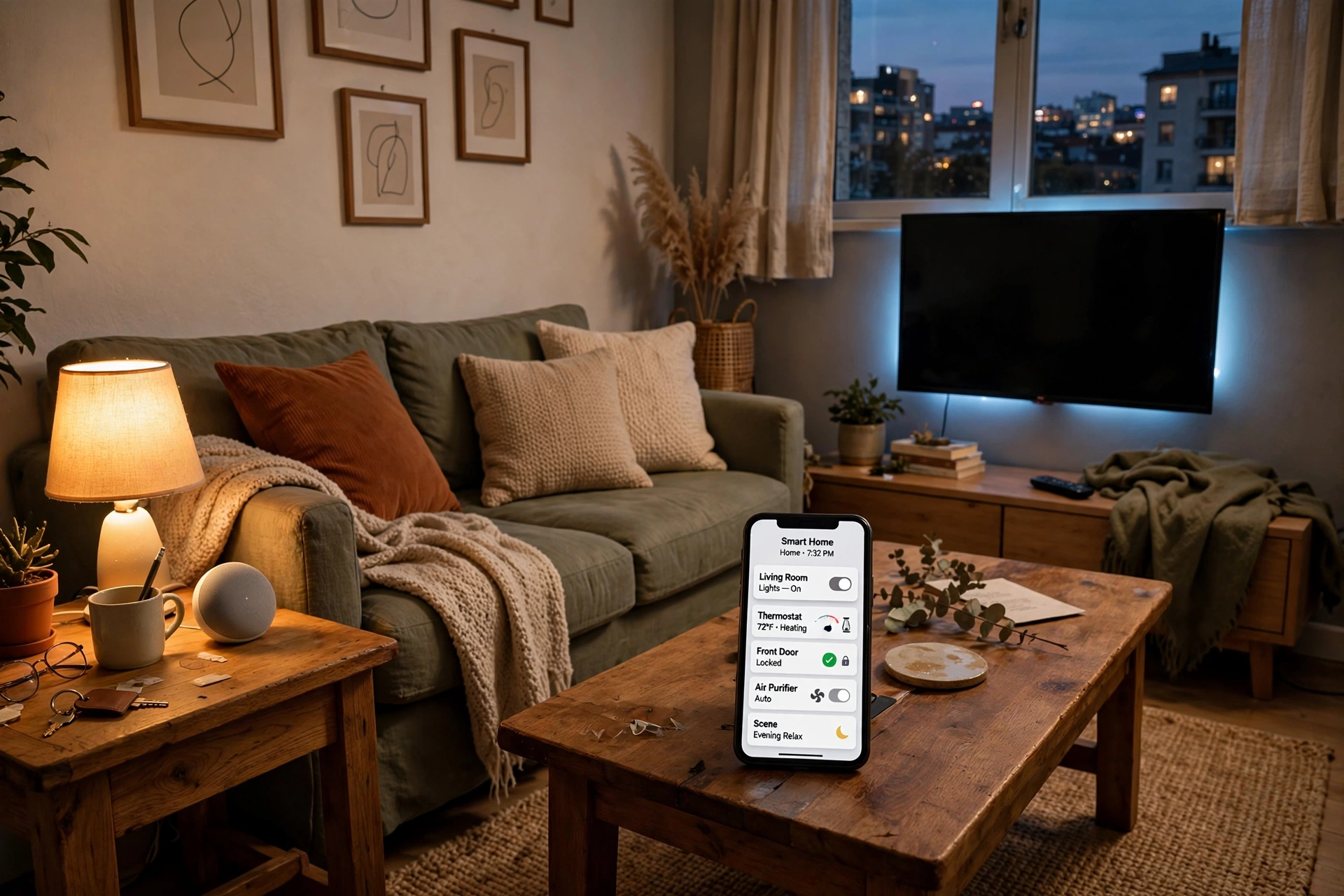
Renting doesn’t mean you have to live in the tech dark ages. The good news is that the smart home market has quietly gotten very good at serving renters — most of the best upgrades now install with an app, a peel-and-stick mount, or a plug, and come back off the wall just as cleanly.
I’ve helped friends outfit three different apartments over the years, and the pattern is always the same: they assume they need a landlord’s permission for everything, then discover that 90% of what they actually want requires zero permanent changes. This guide covers the 12 devices I’d buy first, all genuinely reversible, none requiring a screwdriver in the wall or a wire in the ceiling.
The one rule: if it peels off cleanly and plugs into an outlet, your deposit is safe. Everything below passes that test.
Table of Contents
- Ground Rules Before You Buy
- The 12 Devices
- Quick Comparison Table
- Pro Tips: Keep Your Security Deposit
- Common Mistakes to Avoid
- FAQs
- Final Thoughts
Ground Rules Before You Buy
Before you order anything, do these three things. They take ten minutes and save you real headaches at move-out.
Read your lease’s actual language. Most leases ban “alterations” and “damage,” not gadgets. A smart plug is no more an alteration than a toaster. The gray area is anything mounted to the exterior of the building — doorbells and locks on the front door. A quick text to your landlord (“Hey, I’m adding a battery doorbell with a removable adhesive mount — no screws. Cool?”) resolves most of it. Get the yes in writing.
Photograph everything. Before you stick, plug in, or mount a single device, take dated photos of every wall, door, and outlet involved. If a dispute arises, “here’s the before photo” ends the conversation.
Keep every original. The bulbs, the lock thumb-turn, the doorbell button — box them and label them. Move-out is dramatically easier when you can swap everything back in an hour.
The 12 Devices
1. Smart Plugs
The single best first purchase for any renter. A smart plug turns any lamp, fan, or space heater into something you can control from your phone, schedule on a timer, or switch off with your voice. Setup takes about two minutes: plug it in, connect to your Wi-Fi in the app, name it “bedroom lamp.”
Well-known options like the TP-Link Kasa Smart Plug Mini or Wyze Plug typically run $10–$15 each, work with Alexa and Google Home, and need no hub. Buy a 4-pack — you will use all four within a week.
Why renters love it: Zero footprint. When you move, unplug and toss them in a box. Nothing on the wall, nothing to patch.
If you want to actually see what that space heater is costing you, pair this with our guide to lowering your electricity bill at home — an energy-monitoring plug plus a few habit changes can be eye-opening.

2. Smart Bulbs
Swap the bulbs, keep the fixture. Smart bulbs screw into your existing sockets and give you dimming, scheduling, and (with color models) full mood lighting — all from an app or voice command. Bluetooth models like the Philips Hue Bluetooth bulb or Wyze Bulb don’t even need a hub.
A single white smart bulb typically costs $10–$15; color versions run $15–$25. Start with the rooms where you spend evenings: bedroom, living room.
Renter tip: bag the original bulbs and label which socket they came from. Landlords notice missing “correct” bulbs on move-out inspections more often than you’d think.
3. Battery Video Doorbell
You don’t need to hardwire a doorbell. Battery models from Ring, Eufy, and others run for months on a charge and mount with a removable adhesive bracket or a no-drill clamp that grips the door trim. You get motion alerts, two-way talk, and a video record of every visitor and package.
Typical cost: $60–$100 for the doorbell; many work without a subscription for live view, with optional cloud recording plans.
Renter tip: if your lease restricts exterior changes, mount it with the adhesive bracket on the door itself (not the building frame) and keep the original doorbell hardware untouched. Some renters also use a doorbell inside a window facing the door — it works surprisingly well.
4. Smart Speaker or Display
An Echo Dot, Google Nest Mini, or similar smart speaker (typically $25–$50) is the control center for everything else on this list. Voice control for lights, plugs, locks, and timers; music and podcasts; a kitchen timer you don’t have to touch with floury hands.
No installation at all — it sits on a shelf and plugs into the wall. If you get a display model (Echo Show, Nest Hub), it doubles as a photo frame and a video feed monitor for that doorbell.
5. Retrofit Smart Lock
This is the upgrade that surprises renters most: you can have a keypad-and-phone smart lock without changing the outside of your door. Retrofit locks like the August Wi-Fi Smart Lock or SwitchBot Lock attach to the inside thumb-turn of your existing deadbolt. From the hallway, the door looks exactly the same — your landlord’s key still works.
Installation is genuinely tool-light: remove the interior thumb-turn plate, attach the adapter, done in 10–15 minutes. Typical cost: $70–$200 depending on features.
Why it matters for renters: no more lockouts, no more copying keys for dog walkers or guests — just send a temporary code. And at move-out, the original thumb-turn goes right back on.
Check first: this one genuinely warrants a landlord heads-up, since it modifies the lock mechanism (reversibly). Most landlords say yes when they hear their master key still works.

6. Adhesive Door and Window Sensors
Small contact sensors (Aqara, Ring Alarm sensors, and similar, typically $15–$25 each) stick to a door or window frame with adhesive and tell you when something opens. They’re the backbone of a renter-friendly security setup: put one on the front door, one on the bedroom window, and get a phone alert if either opens while you’re away.
They’re tiny, battery-powered (batteries last a year or more), and peel off cleanly. Pair a few with a smart speaker for chime alerts.
7. Motion Sensors
A motion sensor in the hallway or bathroom means lights that turn on when you walk in and off when you leave — no switch rewiring required. Battery-powered sensors (like the Philips Hue motion sensor, typically $30–$45) mount with a magnet or adhesive strip and trigger your smart bulbs or plugs through the app.
Best renter use cases: dark hallways, closets, the bathroom at 2 a.m. Set the automation to only run after sunset so lights aren’t firing all day.
8. Smart LED Light Strips
Adhesive-backed LED strips (Govee and similar, typically $20–$40 for a 16-foot strip) are the fastest way to make a rental feel expensive. Run one behind the TV, under kitchen cabinets, or along a bookshelf. Millions of colors, music sync, schedules — all from the app.
The deposit-safe trick: the included adhesive can be aggressive on paint. Apply the strip to a thin LED channel or even painter’s tape first, then mount that to the wall. Peels off clean, light stays put.
9. Robot Vacuum
The least “smart home” looking item here and one of the most life-changing. A robot vacuum (Roborock, Roomba, and others; typically $150–$400) needs no installation whatsoever — it charges on a dock in the corner and cleans on a schedule while you’re at work.
For renters in apartments, this is arguably more valuable than in houses: small spaces get dirty fast, and a daily 20-minute run keeps floors perpetually clean. Look for models with mapping so you can set no-go zones around pet bowls and cables.
10. Smart Power Strip
Your TV corner, desk, or gaming setup probably has six things plugged into one strip. A smart power strip (Kasa and similar, typically $30–$50) gives you individual app/voice control of each outlet plus energy monitoring, so you can kill standby power to the TV, soundbar, and console with one command — or one schedule.
This is the device that quietly pays for itself. Entertainment centers are notorious phantom-load offenders; cutting standby draw is one of the simplest items in our electricity bill guide.
11. Retrofit Curtain Driver
If your rental has a curtain rod (most do), a retrofit curtain robot like the SwitchBot Curtain (typically $70–$100 per panel) clamps onto the rod and opens/closes your curtains on schedule or by voice. Wake up to sunlight instead of an alarm; close everything at sunset for privacy.
No drilling, no rod replacement, and it works with most standard rod types. It feels like a luxury hotel trick for the price of a nice dinner out.
12. Water Leak Sensors
The unglamorous hero of this list. Small battery-powered sensors (Govee and similar sell multi-packs, typically $25–$35 for 3–5 sensors) sit under sinks, behind toilets, and next to the water heater, and scream — via app alert and onboard siren — the moment they detect water.
As a renter, a leak you catch in hour one is a non-event; a leak you discover in week three is a fight with your landlord about who’s paying. Place them anywhere water lives. They need no hub for basic alerting on most models.
Seasonal angle: frozen pipes and failing supply lines are a cold-weather classic — worth a look alongside our fall home maintenance checklist before winter sets in.
Quick Comparison Table
| # | Device | Install Time | Typical Cost | Best For |
|---|---|---|---|---|
| 1 | Smart plugs | 2 min | $10–$15 ea. | Lamps, fans, schedules |
| 2 | Smart bulbs | 5 min | $10–$25 ea. | Mood lighting, dimming |
| 3 | Battery video doorbell | 10 min | $60–$100 | Packages, visitors |
| 4 | Smart speaker/display | 5 min | $25–$50 | Voice control hub |
| 5 | Retrofit smart lock | 15 min | $70–$200 | Keyless entry, guests |
| 6 | Door/window sensors | 5 min ea. | $15–$25 ea. | Apartment security |
| 7 | Motion sensors | 5 min | $30–$45 | Hands-free hallway lights |
| 8 | LED light strips | 15 min | $20–$40 | Ambiance, behind TV |
| 9 | Robot vacuum | 10 min | $150–$400 | Daily floor cleaning |
| 10 | Smart power strip | 5 min | $30–$50 | Killing standby power |
| 11 | Curtain driver | 10 min | $70–$100 | Automated curtains |
| 12 | Water leak sensors | 5 min ea. | $25–$35 / pack | Early leak detection |
Costs are typical US retail ranges as of late 2026, not exact prices — check current listings.
Pro Tips: Keep Your Security Deposit
Build a “move-out box” from day one. Every original bulb, battery, thumb-turn plate, and mounting bracket goes in one labeled box. When moving day comes, you reverse everything in an hour instead of hunting through drawers.
Prefer 3M Command strips over included adhesives. Most smart home gear ships with decent adhesive, but Command strips are engineered to release cleanly and landlords recognize the brand. For anything mounted to painted walls, this is cheap insurance.
Put batteries on a calendar. The Achilles’ heel of renter smart homes is dead batteries — doorbells, sensors, and locks all die quietly. Set a recurring phone reminder every 6 months to check them, or enable low-battery notifications in each app (they’re usually on by default, but verify).
Standardize on one voice assistant. Pick Alexa or Google Home and buy everything compatible with it. Mixed ecosystems mean half your devices respond to “turn off the lights” and half don’t, and you’ll hate all of them.
Document the “after” too. When you remove everything at move-out, photograph the clean walls and reinstalled originals. If a deposit dispute ever goes to small claims, timestamped before-and-after photos are about as strong as evidence gets.
Common Mistakes to Avoid
Buying hub-locked devices without checking. Some sensors and bulbs need a brand-specific hub to work. That’s fine if you own the hub — but check before buying, and prefer Wi-Fi or Bluetooth models that work standalone.
Ignoring the 2.4 GHz problem. Most smart home devices only connect to 2.4 GHz Wi-Fi, while your phone may be on 5 GHz during setup. If a device won’t pair, temporarily connect your phone to the 2.4 GHz band — this solves the vast majority of “it won’t connect” complaints.
Drilling “just one small hole.” Don’t. The moment you drill, you’ve converted a reversible upgrade into wall repair. Every device on this list exists specifically so you don’t have to.
Over-automating on day one. Start with plugs and bulbs, live with them for two weeks, then add. People who buy twelve devices at once end up with automations fighting each other and a strong urge to throw everything in a drawer.
Forgetting the landlord on exterior changes. Interior gadgets are your business. Anything on the front door, balcony, or building exterior — doorbells, cameras facing common areas — deserves a quick written okay. It’s a text message, not a legal brief.
FAQs
Can my landlord stop me from using smart home devices?
Generally, no — for interior devices that don’t alter the property. A smart plug or bulb is legally indistinguishable from any other appliance you own. Leases can restrict exterior modifications (doorbells, cameras in common areas) and changes to locks, so check those clauses and get written permission for anything on the front door.
Will adhesive mounts damage the paint?
Quality removable adhesives (3M Command strips especially) are designed to release cleanly from painted walls. Cheap no-name adhesive pads are the ones that take paint with them. When in doubt, test in a closet first, and consider mounting to trim or furniture instead of flat painted drywall.
Do I need a smart home hub as a renter?
Not anymore. Nearly everything on this list works over Wi-Fi or Bluetooth with a phone app, plus Alexa or Google Home for voice control. Hubs (SmartThings, Hubitat) add reliability for large setups but are optional — skip one unless you’re running 20+ devices.
What happens to my devices when I move?
Almost everything here moves with you: unplug, peel off, pack. The main exceptions are anything hard-mounted (which is why we avoided those) and devices tied to a specific address in an app (doorbells, locks) — just update the address in the app settings. Budget an afternoon for removal, cleaning, and reinstalling originals.
Are smart locks safe in apartments?
Retrofit smart locks are as secure as the deadbolt they’re attached to — they turn the same bolt. Look for models with AES encryption and two-factor authentication in the app, keep firmware updated, and use unique codes for guests rather than sharing one code with everyone.
What’s the cheapest way to start?
Two smart plugs and one smart bulb — typically under $40 total. That covers a living room lamp on a schedule, a fan you can turn off from bed, and dimmable bedroom lighting. It’s the highest fun-per-dollar ratio in the smart home world.
Final Thoughts
Renting used to mean waiting until you owned a place to enjoy a smart home. That era is over. For a few hundred dollars and a free afternoon, you can have voice-controlled lighting, a video doorbell, keyless entry, and leak protection — and hand the apartment back exactly as you found it.
Start small: plugs and bulbs this weekend. Add the lock and doorbell when you’re feeling ambitious. And keep that move-out box. Future you, standing in an empty apartment with a landlord doing the walkthrough, will be very glad you did.

Welcome to Homeblesh! I'm a professional content writer with over five years of experience creating well-researched, practical, and reader-focused content for clients on Upwork and Fiverr. Now, I've dedicated my expertise to building Homeblesh, where I share helpful guides, honest recommendations, and actionable tips based on careful research and industry knowledge. My goal is to provide accurate, trustworthy information to help you make informed decisions while delivering clear, useful, and easy-to-understand content.
- Muhammad Imran

- Muhammad Imran

- Muhammad Imran

- Muhammad Imran


