

The diy home security revolution is driven by a desire for more control and lower costs. Traditional professionally installed systems often come with significant drawbacks, such as installation fees and ever-increasing monthly monitoring plan fees.
And the risk of company employees or strangers viewing your private live video. By opting for a diy home security system, homeowners can ensure their service continues indefinitely without the threat of a company discontinuing support.
A diy security system offers a unique sense of peace of mind. It allows the user to be the sole owner of their data, with video storage kept locally on their own hard drive rather than a corporate cloud.
As we look toward home security systems in 2025, the trend is shifting from rigid contracts to flexible, user-installed, innovative security solutions.
Why DIY Home Security Systems Matter in 2026?

Home security systems in 2026 are more intelligent, more affordable, and more flexible. The best DIY home security systems give you control, save money, and protect your property with advanced features.
Indoor and outdoor devices integrate with Google Home and other innovative platforms, making them part of daily life.
• Cost-Effectiveness: Install security cameras yourself and avoid high fees. Self-monitoring options reduce monthly costs.
• Advanced Technology: Home security camera setups now include HD video, facial recognition, and smart locks. Integration with cars, lights, and energy systems delivers the best home security.
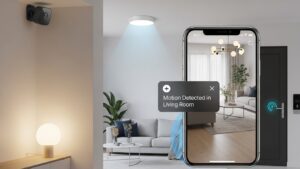
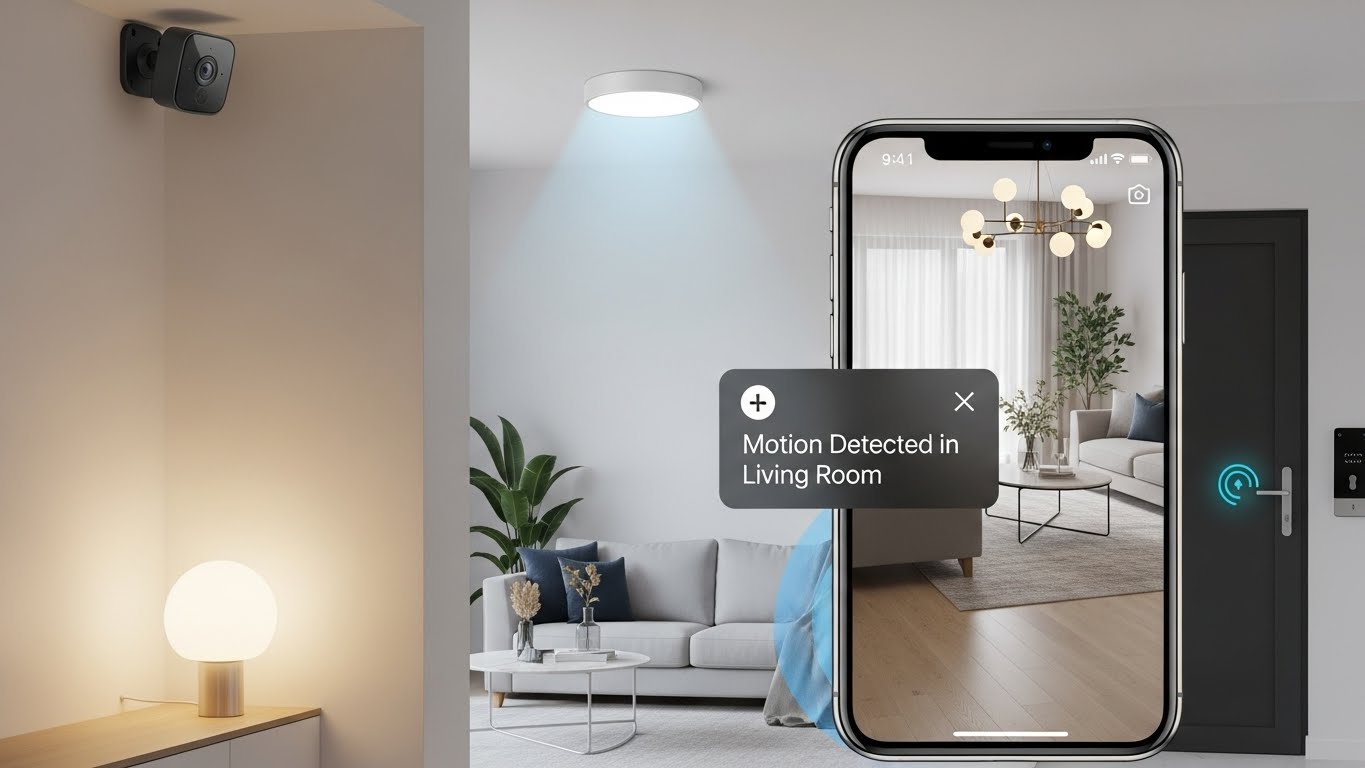
• Control: Apps let you arm, disarm, and view live feeds anytime. Alerts keep you informed instantly.
• Deterrence: Visible cameras and smart doorbells deter intruders. Homes with the best diy security are less likely to be targeted.
• Flexibility: Add sensors or upgrade components as your needs grow. Cellular backup ensures reliability.
• Beyond Burglary: Systems detect fire, flood, and leaks, giving complete protection.
Planning Your DIY Security System

Successfully protecting your home begins not with a drill, but with a plan tailored to your property, budget, and comfort with technology.
Assessing Security Needs
The first step in a diy installation is a thorough assessment of the property. A larger home will have different requirements than a small apartment. Homeowners must determine if they need whole-home coverage or just monitoring for specific entry points.
The First Choice: Wired vs. Wireless Home Security
The most significant “fork in the road” is choosing between wired and wireless home security.
- Wireless Home Security: These systems use battery-powered sensors and cameras that communicate via wi-fi or radio frequencies. They are the best diy options for renters because they require no drilling and offer high flexibility. However, they are susceptible to wi-fi jammers used by burglars and require regular battery maintenance.
- Wired Home Security (PoE): A wired security camera setup is considered a “rock-solid” choice. Power-over-Ethernet (PoE) is a popular DIY choice because it uses a single Ethernet cable to provide both low-voltage power and LAN connectivity. While the diy installation is more complex, often involving crawling through attics, it offers superior reliability and is immune to signal interference.
Vulnerability Mapping: Think Like a Burglar
Effective home security requires strategic placement. Homeowners should walk around their property to identify weak spots.
- Ground Floor: This is where most break-ins occur; every door and window should be accounted for, especially those hidden from the street, such as a backyard door or basement window.
- Second Story: Do not ignore upper floors if they are accessible via a flat roof or a sturdy tree.
- High-Traffic Areas: The front door and the garage entrance are critical points requiring an entry sensor.
Selecting the Best DIY Equipment

The selection of security hardware available today ranges from consumer-friendly kits to high-end technical builds.
All-in-One Kits vs. Custom Builds
Many homeowners choose integrated kits from brands like SimpliSafe, Arlo Pro, Google Nest, Ring, or Eufy. These typically include a hub, sensors, and a doorbell camera that work together seamlessly.
For tech-savvy users, a custom diy security camera system provides more control. This might involve using a Mac Mini or a Raspberry Pi as a central “DVR” (Digital Video Recorder) or hub.
Brands such as Axis, Dahua, and Hikvision are highly recommended for building a custom security camera system, provided the cameras support the ONVIF standard for compatibility.
Essential Components
A robust system should include:
- Video Doorbell: To monitor the front door.
- Outdoor Camera: Must be rated IP65 or higher to withstand the elements.
- Indoor Camera: Placed in the main living areas to see who is coming and going.
- Sensors: Including entry sensors for doors and windows, and motion sensors for large open areas.
- Environmental Detectors: Smart smoke detectors (such as those from Brooks) and water leak sensors provide an additional layer of safety.
Advanced Features
Modern diy security products often feature AI for better detection. This enables the system to distinguish between humans and pets, reducing false alarms. Other valuable features include night vision, remote access, and active guard outdoor protection.
Step-by-Step DIY Installation Guide

Physical Setup and Mounting
For wireless security cameras, installation is often as simple as “peel-and-stick” on smooth surfaces. However, for outdoor cameras or textured walls, using screws is more reliable for preventing the device from falling.
Strategic Placement Rules:
- Height: Mount cameras and motion sensors high up (at least 2.5 to 3 metres) to prevent tampering and provide a wide field of view.
- Angle: Angle cameras slightly downward to capture useful faces and prevent the sun from blinding the lens.
- Range: Ensure all smart devices are within a strong range of your wi-fi network.
Network and Connectivity
For a wired home security system using PoE, you will need a PoE switch to push power through the ethernet cable. It is highly recommended to assign each security camera a fixed IP address through your router so they can be accessed directly via a URL.
For most smart home systems, the diy installation involves:
- Downloading the manufacturer’s app.
- Connecting the central hub to the router via wi-fi or Ethernet.
- Pairing devices by scanning QR codes through the app.
System Configuration
Once connected, users must name devices logically. Instead of “Sensor 1,” use “Front Door” or “Kitchen Window” so alerts are instantly understandable.
Configure entry and exit delays (typically 30 to 120 seconds) to allow you to leave or enter without triggering the alarm.
Monitoring and Video Storage Strategy
One of the most significant decisions in diy home security is how to handle the data and the response to an alert.
Self-Monitoring vs. Professional Monitoring
- Self-monitoring: You are the monitoring center. When a sensor is triggered, you receive a notification on your phone. You then use remote access to view the live feed and determine whether to call the authorities. This is the best way to run a home security system without a monthly fee.
- Professional Monitoring: Your system is linked to a 24/7 monitoring center. If an alarm sounds, they attempt to contact you and can dispatch emergency services on your behalf. This incurs a monthly fee but provides peace of mind during the holidays.
Managing Video Storage
Choosing where to store cameras for video recording is vital for privacy and cost.
- Cloud storage for video recordings: Provides easy remote access and off-site backup, but typically requires a subscription.
- Local Storage: Storing video on an SD card or a dedicated hard drive (like a 6Tb external drive) is more private. For systems that record 24/7, spinning disks are often better than SSDs, which can wear out from constant writing. A system with three cameras recording 24/7 might require significant storage one month’s worth of video for two cameras can take up about 6Tb of space.
Integration and Automation
A diy security camera system is most powerful when integrated into a broader home automation setup. Many modern systems are compatible with voice assistants such as Alexa and Google Assistant.
Smart home integration allows for sophisticated rules:
- Voice Control: You can ask Alexa and Google to “show the front door” on a brilliant display.
- Automation Rules: You can configure the system so that, if a motion sensor in the backyard is triggered after 10 PM, the patio lights automatically turn on.
- Safety Links: If a smoke detector triggers, the system can automatically unlock smart locks to help residents escape quickly.
Maintenance and Optimization
The Testing Protocol
An untested system is just “expensive decoration”. Homeowners should perform a component-by-component verification.
- Walk Test: Set the system to “test mode” and walk through the protected areas to verify that motion detection registers correctly.
- Signal Check: Use the app to verify that every wireless security camera has a strong wi-fi signal.
- Live Video Quality: Check the live feed to ensure there is no glare from windows or silhouettes caused by backlighting.
Troubleshooting False Alarms
False alarms are the “bane” of security systems.
- Environmental Factors: Keep motion sensors away from heat vents or windows with blowing curtains.
- Pet Immunity: Use pet-immune sensors and mount them higher (2 to 2.3 metres) to ensure they detect humans but ignore pets on the floor.
- Battery Management: For wireless home security, regularly check battery levels, as sensors on high-traffic doors drain faster.
Final Thoughts
The system cost for a high-quality diy security camera system can be significant upfront sometimes exceeding $3,000 for a robust 4-camera PoE setup with a dedicated computer and high-end cameras. However, this is offset by the absence of monthly fees and the hardware’s long-term reliability.
The Australian smart home and also USA market is projected to grow from USD 2.72 billion to over USD 10 billion by 2033, showing that more people are prioritizing these security features.
By choosing a diy system, you gain a deep understanding of how your home is protected, ensuring that your “modern sanctuary” remains rock solid for years to come.


