


Are you looking for the best guide that can give you proper detail about the smart thermostat installation, If yes then you come the right place. The modern home is increasingly becoming a “smart home,” and at the heart of this transformation lies the smart thermostat.
Moving beyond the basic functionality of traditional thermostats, smart thermostats offer a plethora of benefits, including energy savings, remote control, personalized comfort, and integration with other smart home devices.
However, the prospect of installing a smart thermostat can seem daunting to those who are new to the concept. This comprehensive guide aims to demystify the process, providing a step-by-step walkthrough and essential information to ensure a successful and stress-free installation.
Why Choose a Smart Thermostat?

Before diving into the installation process, it’s crucial to understand the advantages of upgrading to a smart and new thermostat. These benefits extend beyond simple temperature control, contributing to a more efficient and comfortable living environment.
- Energy Savings: Smart thermostats learn your heating and cooling patterns, automatically adjusting the temperature to optimize energy consumption. Many models feature geofencing, which uses your smartphone’s location to detect when you’re away from home and automatically lowers the temperature, preventing unnecessary energy waste.
- Programmable schedules enable you to set different temperatures for specific times of the day and week, thereby further reducing energy costs. Studies have shown that smart thermostats can save homeowners an average of 10-12% on heating costs and 15% on cooling costs.
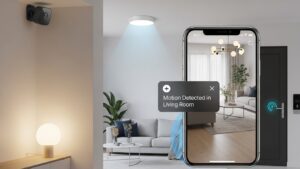
- Remote Control: One of the most appealing features of smart thermostats is the ability to control your home’s temperature from anywhere with an internet connection. Using a smartphone app, you can adjust the temperature before you arrive home, ensuring a comfortable environment upon your return. This feature is handy for vacation homes or rental properties, enabling you to maintain optimal temperatures and prevent frozen pipes during the winter months.
- Personalized Comfort: Smart thermostats learn your preferences and adapt to your lifestyle. They can track your temperature adjustments and automatically create a personalized schedule that maximizes comfort and energy efficiency. Some models even integrate with weather forecasts to proactively adjust the temperature based on anticipated changes in outdoor conditions.
- Integration with Smart Home Ecosystem: Smart thermostats seamlessly integrate with other smart home devices, such as smart speakers, lighting systems, and security systems. This integration allows you to create a unified and automated home environment. For example, you can use voice commands to adjust the temperature or program your lights to turn on when the thermostat detects that you’ve arrived home.
- Advanced Features: Many smart thermostats offer advanced features such as energy usage reports, which provide detailed insights into your heating and cooling consumption. These reports can help you identify areas where you can further reduce energy waste and lower your expenses. Some models also include features like filter change reminders and system health alerts, which can help you maintain your HVAC system and prevent costly repairs.
Preparing for Smart Thermostat Installation

Before you begin the smart thermostat installation process, it’s essential to gather the necessary tools and information. This preparation will ensure a smooth and efficient installation.
- Choose the Right Thermostat: With a wide variety of smart thermostats available on the market, it’s essential to select a model that’s compatible with your HVAC system and meets your specific needs. Consider factors such as the type of heating and cooling system you have (e.g., forced air, heat pump, radiant heat), the number of wires connected to your existing thermostat, and the features that are most important to you (e.g., geofencing, voice control, energy reports). Research different brands and models, read reviews, and compare features to find the best smart thermostat for your home.
- Gather Your Tools: You’ll need a few basic tools for smart nest thermostat installation, including a screwdriver (both Phillips and flathead), a wire stripper, a wire connector (if needed), a level, a pencil, and a digital multimeter (optional, but recommended).
- Turn Off the Power: Before working with any electrical wiring, it’s crucial to turn off the power to your HVAC system at the circuit breaker. This will prevent electrical shock and ensure your safety.
- Document Your Existing Wiring: Before disconnecting any wires from your existing thermostat, take a picture of the wiring configuration. This will serve as a reference point when connecting the wires to your new smart thermostat. Label each wire with a piece of masking tape and a marker, noting the terminal to which it is connected (e.g., R, W, Y, G, C).
- Read the Installation Manual: Carefully read the installation manual that comes with your new smart thermostat. This manual provides specific instructions for your model, helping you avoid potential problems during the installation process.
Step-by-Step Smart Thermostat Installation Guide
After preparing your workspace and shutting off power to the HVAC system, follow these precise steps to replace your old thermostat with a smart thermostat:
1. Remove the Old Thermostat

- Carefully detach the thermostat cover to reveal internal wiring terminals.
- Use an insulated screwdriver to loosen each terminal screw, disconnecting one wire at a time.
- As you disconnect each wire, label it clearly with its terminal designation (e.g., R, W, Y, G, C) using pre-printed tags or masking tape to ensure accurate reconnection.
- Remove the base plate once all wires are labeled and detached.
2. Install the Mounting Plate

- Align the smart thermostat’s mounting plate on the wall at the desired location.
- Use a level tool to ensure the plate is perfectly horizontal.
- Mark the mounting screw positions with a pencil.
- Drill pilot holes (using a bit suitable for wall type) and fasten the plate securely using the supplied screws and wall anchors.
3. Connect the System Wires

- Refer to the previously labeled wires and your wiring diagram or smart thermostat manual.
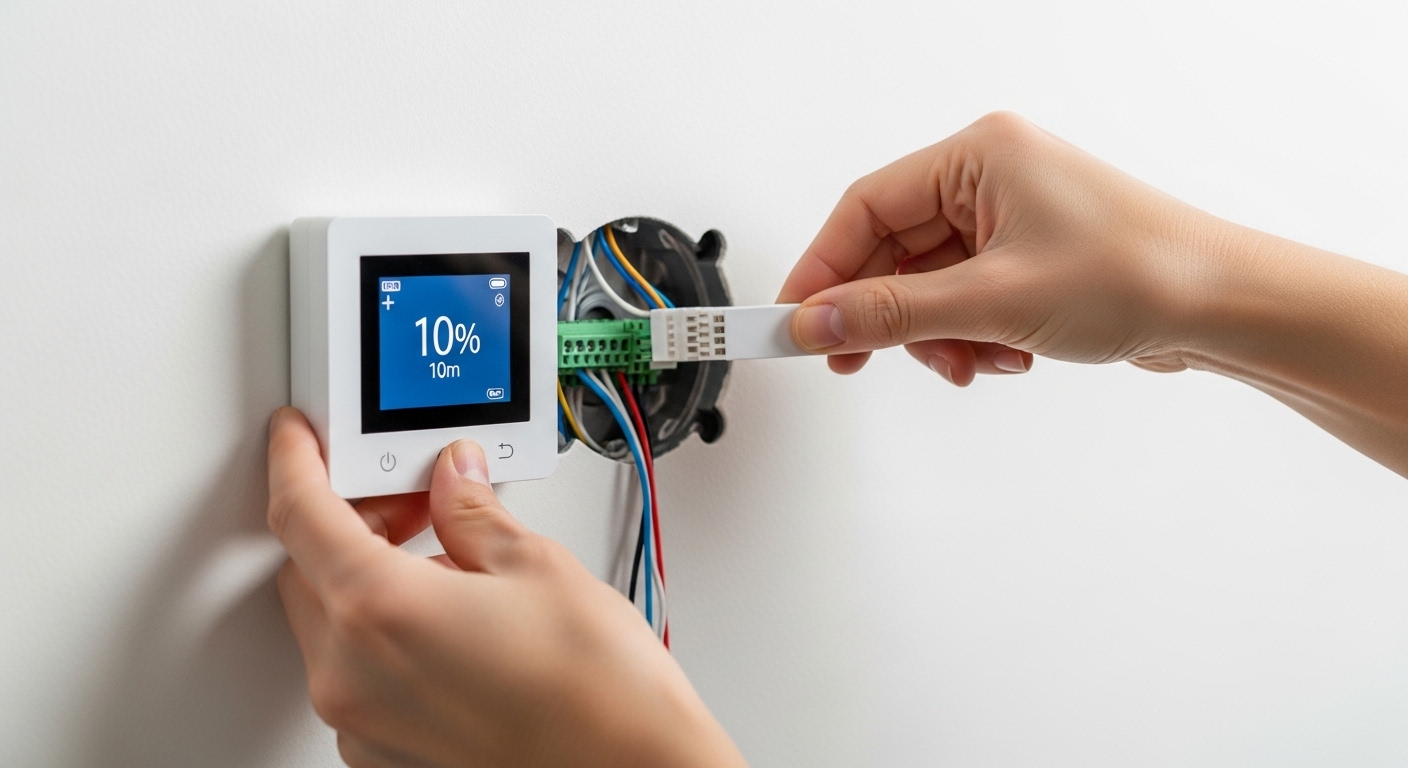
- Insert each wire into the corresponding terminal on the new base plate and tighten the screws firmly to ensure secure connections.
- Ensure no bare wire is exposed and all connections are free from corrosion or fraying.
- If a C-wire (common wire) is not available and the new unit requires it, either:
- Run a dedicated C-wire from the HVAC control board, or
- Install the included C-wire adapter module if your smart thermostat supports it.
4. Mount the Thermostat

- Align the thermostat body with the mounting plate and press gently until it snaps or clicks into position.
- Double-check that the unit is flush against the wall and all wires are neatly tucked in with no pinching.
5. Restore HVAC System Power

- Go to the electrical panel and switch the HVAC breaker back on to re-energize the system.
- The smart thermostat display should light up if power is correctly restored.
6. Configure and Pair the Thermostat

- Follow the setup wizard on the thermostat’s screen or app to:
- Connect to your home Wi-Fi network
- Register the device if required
- Set your preferred heating and cooling thresholds
- Create a daily or weekly schedule to optimize energy usage
- Enable smart features such as geofencing or voice assistant integration, if supported.
7. Final Testing

- Set a temporary temperature adjustment (e.g., increase or decrease 5°F).
- Confirm that the HVAC system responds correctly (heating or cooling activates accordingly).
- Check for any error codes or connection issues and resolve them per the manual.
Troubleshooting Common Installation Issues
While smart thermostat installation is generally straightforward, you may encounter some common issues. Here are some troubleshooting tips to help you resolve these problems.
- No Power to the Thermostat: If your smart thermostat does not power on after installation, check the circuit breaker to ensure that it is not tripped. Also, verify that the wires are securely connected to the terminals and that there are no loose strands. If your thermostat requires a C-wire, ensure that it is properly connected.
- Incorrect Temperature Readings: If your smart thermostat is displaying incorrect temperature readings, it may be due to its location. Avoid placing the thermostat in direct sunlight or near heat sources, such as lamps or appliances. Also, ensure that the thermostat is properly calibrated.
- Thermostat Not Connecting to Wi-Fi: If your smart thermostat is not connecting to your Wi-Fi network, ensure that your Wi-Fi router is turned on and that you have entered the correct password. Also, check the thermostat’s compatibility with your Wi-Fi network. Some thermostats may not be compatible with certain Wi-Fi frequencies or security protocols.
- HVAC System Not Responding: If your HVAC system is not responding to the thermostat, verify that the wires are connected to the correct terminals. Also, verify the thermostat’s settings to ensure they are correctly configured for your specific HVAC system type.
When to Call a Professional?
While many homeowners can complete smart thermostat installation on their own, there are certain situations where it’s best to call a professional HVAC technician.
- Complex Wiring: If your existing thermostat has complex wiring or if you are unsure about how to connect the wires to your new smart thermostat, it’s best to consult a professional. Incorrect wiring can damage your HVAC system or create a safety hazard.
- No C-Wire: If your smart thermostat requires a C-wire and you are unable to run a new wire or install a C-wire adapter, a professional can help you with the installation.
- HVAC System Issues: If you are experiencing problems with your HVAC system, such as inconsistent heating or cooling, it’s best to consult a professional before installing a smart thermostat. A professional can diagnose and repair any underlying issues with your HVAC system.
- Peace of Mind: If you are not comfortable working with electrical wiring or want the peace of mind that comes with knowing the installation is done correctly, it’s best to hire a professional.
Conclusion
Smart thermostat installation is a relatively straightforward process that most homeowners with basic tools and some preparation can complete. By following the steps outlined in this guide, you can successfully install your new smart thermostat and start enjoying the benefits of energy savings, remote control, and personalized comfort.
However, if you encounter any complex wiring issues or are unsure about any aspect of the installation process, it’s always best to consult a professional HVAC technician. With proper installation and configuration, your smart thermostat will deliver years of reliable service, helping you create a more comfortable and energy-efficient home.